Translate to Back Market: what deserves a closer look
Translate, Radio FM, Playlet and Back Market sit alongside six more apps this week. I sort the changes by what they mean for everyday use, so you can decide which deserve attention and which can wait.
A changed button matters more to me than a long list of fixes if it interrupts an everyday task. I read each app’s Google Play listing and update notes, then use apps in my own routine to give those claims practical context. I separate the stated changes from my own observations and compare the benefit with the effort of adjusting settings or learning a different screen. I say plainly whether I think an update deserves action, a closer look or no immediate attention. Each digest leaves you with a useful next step.


Featured this week
 Entertainment & Social · AndroidPlaylet: short dramas for the small gaps in your dayPick a quick drama when a long episode will not fit your break.
 Our top pick · AndroidGoogle Maps review: Dinner booked, but where will you park?I put restaurant reviews beside parking, fuel and charging searches.
 Photo, Video & Music · AndroidRadio FM: short dramas for the gaps in your daySwitch from a radio station to a bite-size story without changing apps.
Latest guides
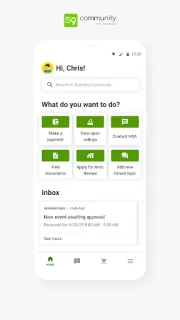
- Tips · TownSq CommunityTownSq Community: 6 Ways to Catch Building NoticesSix practical checks for seeing TownSq Community notices before a deadline passes.
- Compare · Wedding Planner by MyWedWedding Planner by MyWed or WeddingWire for guest lists?My take on MyWed versus WeddingWire for guests, tasks, venues and shared planning.
- Tips · BendBend: 6 ways to stop skipping your daily stretchSix practical Bend habits for choosing, starting and finishing a stretch routine.
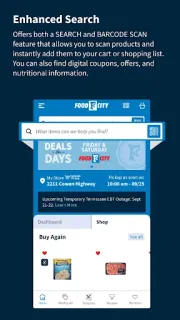
- Troubleshooting · Food CityFood City Coupon Won’t Apply? Fix It in 6 ChecksGet a Food City digital coupon attached, matched to the item, and visible before checkout.
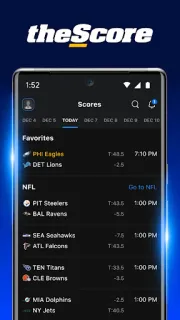
- Troubleshooting · theScoretheScore Notifications Not Working: Fix Alerts in 6 StepsGet theScore score alerts working again with a quick check of app, phone and game settings.
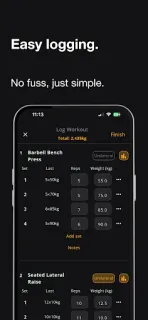
- How-to · StrongerStronger: Log Your First Workout in 6 Clear StepsSet up a repeatable workout log in Stronger without losing track of sets or weights.
 TipsTownSq Community

 CompareWedding Planner by MyWed
 TipsBend
 TroubleshootingFood City
 TroubleshootingtheScore
Top categories
- Home, Family & Weather8 apps · 2 guidesSmart home, parental controls, weather alerts and car maintenance.
- Going Out11 apps · 7 guidesRestaurant reservations, food delivery, event tickets and live sports streaming.
- Shopping & Deals17 apps · 5 guidesMarketplaces, price comparison, cashback and delivery tracking.
- Work & Productivity15 apps · 9 guidesBusiness email, cloud storage, office tools, e-signature and project management.
- All categories7 shelves · 73 appsEvery shelf on one page, with how we pick.
In this issue
- 01
Translate signs, speech and typed phrases without juggling separate tools.
- 02
Tidy a selfie, try a filter, then make a collage for your story.
- 03
Log sets and reps, then use strength standards to spot the next area to work on.
- 04
Pick a quick drama when a long episode will not fit your break.
- 05
I put restaurant reviews beside parking, fuel and charging searches.
- 06
Switch from a radio station to a bite-size story without changing apps.
- 07
I check sync and the Outbox before trusting a follow-up on patchy signal.
- 08
Keep case dates, appointment reminders and document requests close at hand.
- 09
Check balances, shape a FlexiPlan and browse STAR offers from one app.
- 10
Browse wholesale listings for a single item or a larger order.
- 11
Compare refurbished devices, save a shortlist, and keep tabs on orders.
Each entry sums up the developer's notes and the official Google Play listing; the listing has the final word.
About this site
How we write the digest
A changed button matters more to me than a long list of fixes if it interrupts an everyday task. I read each app’s Google Play listing and update notes, then use apps in my own routine to give those claims practical context. I separate the stated changes from my own observations and compare the benefit with the effort of adjusting settings or learning a different screen. I say plainly whether I think an update deserves action, a closer look or no immediate attention. Each digest leaves you with a useful next step.
Updating basics: how updates reach you, and what Update / Open mean
Most phones update apps on their own, but only while auto-update is on. On Android, open Google Play, tap your profile picture, then Settings › Network preferences › Auto-update apps. On a store listing, the main button tells you where you stand:
UpdateA newer version is waiting for your device.
OpenYou already have the version the store offers your device.
If you see Open but this issue mentions a newer build, the rollout simply hasn't reached you yet. Check again in a day or two.
Is Notes After Use an official app support site?
No. I’m Uma Marsh, an independent reviewer. I explain app changes and practical choices; I don’t speak for app developers or Google Play. For account-specific help, I recommend the app’s own support route.
Why can’t I see an update on my phone yet?
Updates can reach eligible phones in stages, and availability can depend on your device or region. I suggest opening the app’s Google Play listing to check what is available for your phone. Seeing a change covered here doesn’t mean every phone receives it at once.
How do you choose which apps to cover?
I start with a useful everyday task, then consider the app’s main job, costs, permissions and support options. Home, family, weather, going out, shopping and work get the closest attention. A new feature earns coverage when it changes a decision or a routine, not simply because it is new.
Do you host app files?
No. I host reviews and guides, not app files. Every store button opens the official Google Play listing, where you can check compatibility and choose whether to install.